|
<< Click to Display Table of Contents >> Using SOAP UI |
  
|
|
<< Click to Display Table of Contents >> Using SOAP UI |
|
One of the essential tools for anyone working with SOAP transactions is SOAPUI. SoapUI is a free and open source cross-platform Functional Testing solution. With an easy-to-use graphical interface, and enterprise-class features, SoapUI allows you to easily and rapidly create and execute automated functional, regression, compliance, and load tests. In a single test environment, SoapUI provides complete test coverage and supports all the standard protocols and technologies. SoapUI is the world's most complete testing tool! You can download SOAPUI here
It would be too much for this documentation to explain SOAPUI, but in the following we want to share a typical test scenario.
The following are examples of SOAP request messages for real time and batch EDI transactions generated by SOAP \UI from the WSDL provided by CAQH here. All fields are blank and must be filled in by the user. The header authentication information (whether by username/password token or X.509 certificate) can be set up to be attached when sending the SOAP message or written directly to the request window within the <soap:Header> element. If the header authentication information is set up in SOAP UI's WS-Security Configuration, the header will not be displayed in the XML view of the request window, but will be present in Raw message view and in the SOAP message sent to the address specified in the address bar.
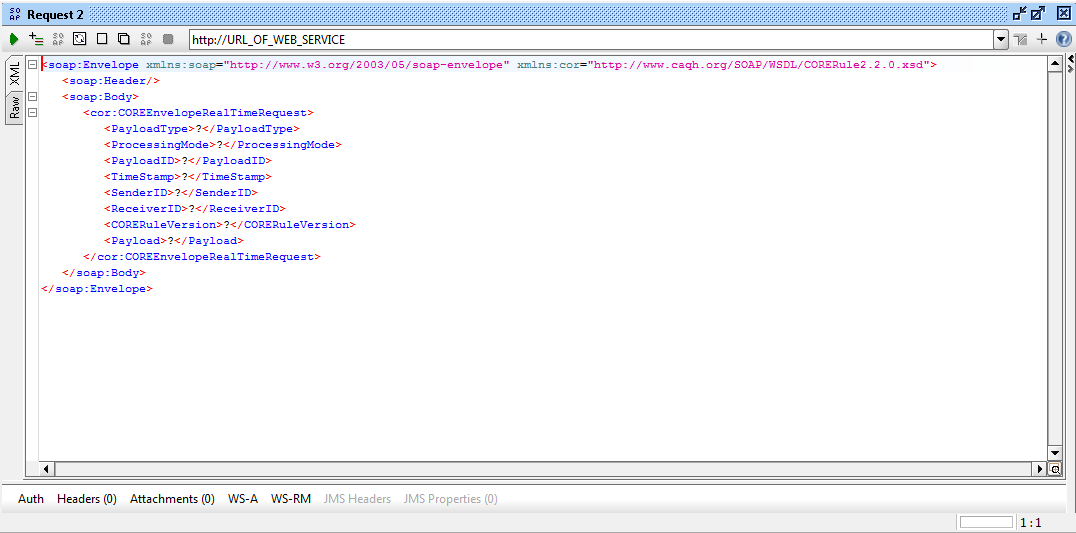
Sample real time SOAP request message generated by SOAPUI.
The following is a sample batch EDI transaction request generated by SOAPUI. As the above example, the metadata and payload fields are left to the user to fill in. Header information may be added directly to the request window within the <soap:Header> element or configured using WS-Security Configuration in SOAP UI project settings. If using the latter option, the header authentication information will only be displayed in the Raw view of the message request window.
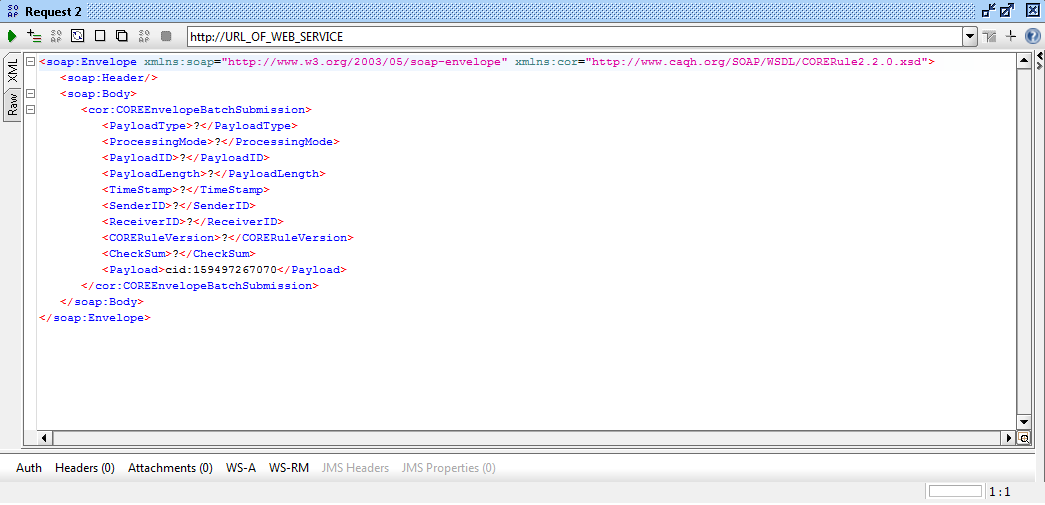
Sample batch SOAP request message generated by SOAP UI.
The message will be serialized and sent via HTTP as a SOAP message to the URL in the address bar. SOAPUI will wait for a SOAP response and display one if received.
Lacking the authorization header configuration, the header may be included in the request sent by SOAPUI and be sent correctly. The following is an example of one such case. The payload, a 270 Eligibility Request, is omitted for simplicity:
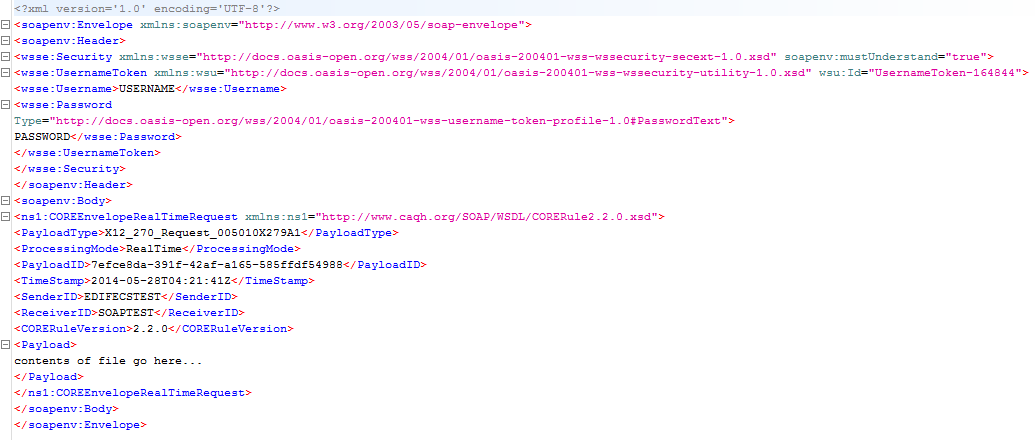
The 270 request, payload omitted for simplicity.
A response to the above 271 Eligibility Request message as displayed by SOAPUI:
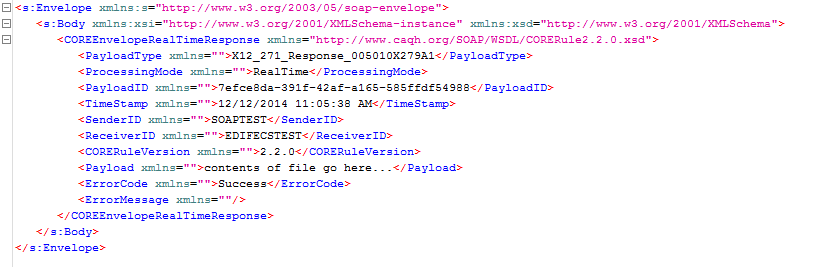
The 271 response, payload omitted for simplicity.
HIPAAsuite RealTime Server's debug console allows you to see HIPAAsuite RealTime Server's actions in real time. The transactions are displayed as-is along with the metadata packaged in their messaging envelopes. The following is the transaction presented above as displayed in the debug console with the payload in full:
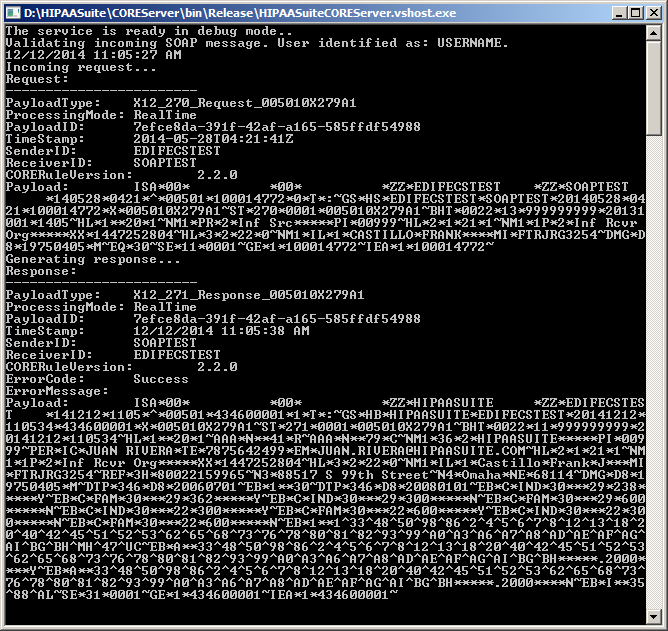
HIPAAsuite RealTime Server debug console displaying a 270 request received the 271 response sent back.