When you click on 'Options, the following screen comes up
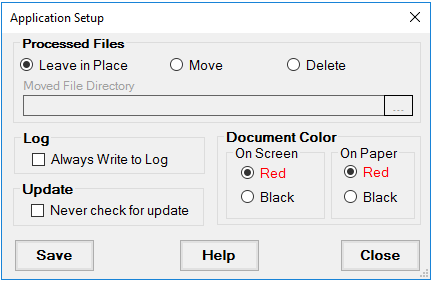
The Application Setup screen
The first setting concerns the handling of EDI files after processing. In order to avoid the duplicate processing of EDI files, we recommend that you move files after processing into an archive folder so that they are not processed multiple times. If you work with a copy of files, stored somewhere else you might also delete files after processing but make sure that you have the original somewhere. EDI files are important business documents and you want to make sure that you can access the information in them at a later point in time for trouble shooting and other reasons.
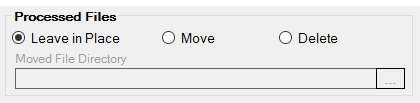
Determining the handling of processed files
If you use EDI Exchange, the Processed File folder is given by the folder schema of EDI Exchange where each trading partner has a place for their folders.
The next item is the log. The HIPAA Claim Attachment Master keeps track of all the step of processing EDI files. When it is run through the command line, those messages will be saved in the log.
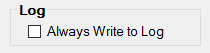
The log setting determines whether process messages will be saved to the log file at all times
Checking the above check box ensures that all process messages are written to the log file regardless whether the application is run through the command line or the user interface.
The next item determines whether the application on start-up looks for the existence of updates and newer version. Some companies have a strict policy that all updates have to be thoroughly tested before they can be implemented and users should not be faced with an option of update the application. For this case we have the below check mark

Set if you want to suppress update messages
The last thing on the setup screen determines whether the back ground and labels on the printable eligibility form are in red to contrast them with the font color of black. When printing the forms to paper on a color printer you can save money and resources by choosing black. Otherwise it makes the forms much easier to read when you have background and labels in red.
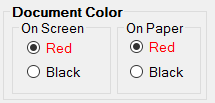
Set the color of document background and labels.