To create the table for the image index, follow the instructions below.
| 1. | Select Image  Create Image Index Table in the main menu. Create Image Index Table in the main menu. 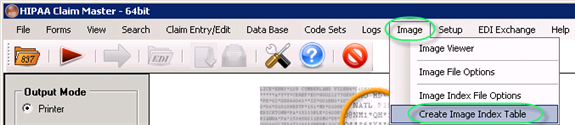 The "Create Image Index Table" menu |
| 2. | The following window will appear.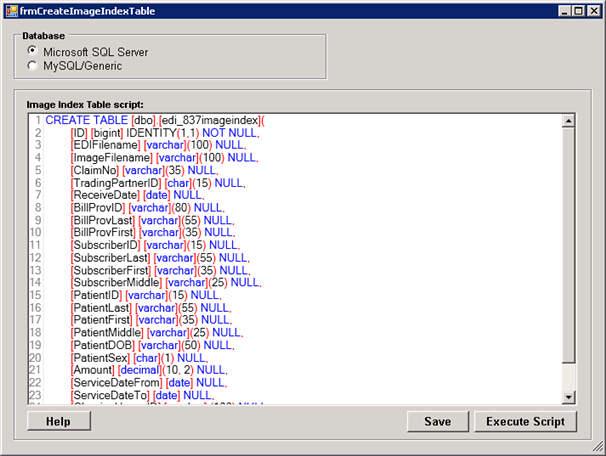 The "Create Image Index Table" window |
| 3. | Select one of the necessary options: |
| • | Microsoft SQL Server |
| • | MySQL/Genetic Note: We do not have table scripts for all databases. Most likely, only Microsoft SQL servers and MySQL are supplied. And even here, different versions of the database behave differently. If you have database expertise, please, modify the scripts accordingly. We invite you to submit improvements and requests. |
4. Then make sure the image index table script is correct.
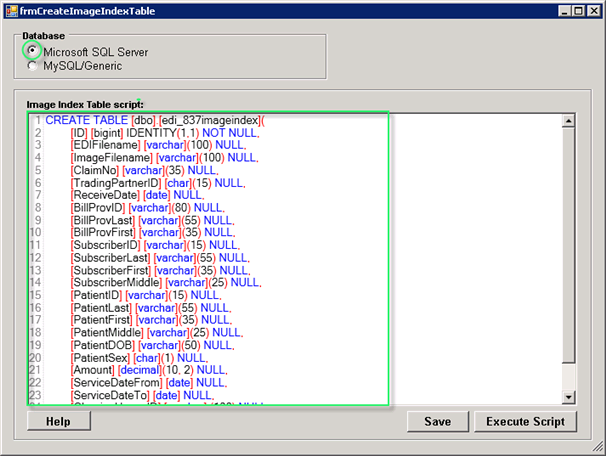
The "Create Image Index Table" window with the "Microsoft SQL Server" option selected
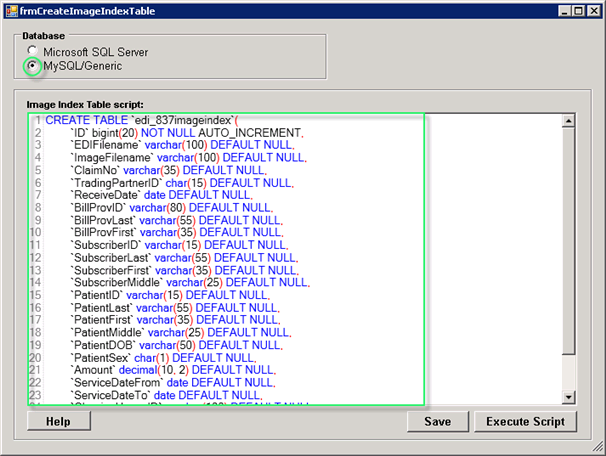
The "Create Image Index Table" window with the "MySQL/Generic" option selected
5. Click on the "Execute Script" button.
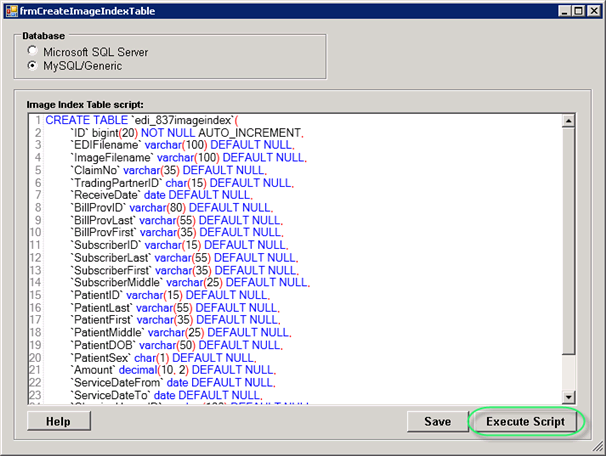
The "Execute Script" button
Then you will receive a notification like this. Click "OK."
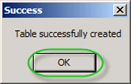
The success message
6. Then click "Save."
Example
You can use the following MySQL/SQL script:
CREATE TABLE `edi_837imageindex`(
`ID` bigint(20) NOT NULL AUTO_INCREMENT,
`EDIFilename` varchar(100) DEFAULT NULL,
`ImageFilename` varchar(100) DEFAULT NULL,
`ClaimNo` varchar(35) DEFAULT NULL,
`TradingPartnerID` char(15) DEFAULT NULL,
`ReceiveDate` date DEFAULT NULL,
`BillProvID` varchar(80) DEFAULT NULL,
`BillProvLast` varchar(55) DEFAULT NULL,
`BillProvFirst` varchar(35) DEFAULT NULL,
`SubscriberID` varchar(15) DEFAULT NULL,
`SubscriberLast` varchar(55) DEFAULT NULL,
`SubscriberFirst` varchar(35) DEFAULT NULL,
`SubscriberMiddle` varchar(25) DEFAULT NULL,
`PatientID` varchar(15) DEFAULT NULL,
`PatientLast` varchar(55) DEFAULT NULL,
`PatientFirst` varchar(35) DEFAULT NULL,
`PatientMiddle` varchar(25) DEFAULT NULL,
`PatientDOB` varchar(50) DEFAULT NULL,
`PatientSex` char(1) DEFAULT NULL,
`Amount` decimal(10, 2) DEFAULT NULL,
`ServiceDateFrom` date DEFAULT NULL,
`ServiceDateTo` date DEFAULT NULL,
`ClearingHouseID` varchar(100) DEFAULT NULL,
`OrigRefNo` varchar(50) DEFAULT NULL,
UNIQUE KEY `ID` (`ID`)
) ENGINE=InnoDB AUTO_INCREMENT=6 DEFAULT CHARSET=latin1;
Tip: Make sure you use a correct symbol ` and not ' in the script.
Tip: If you encounter errors running the script on MySQL or other database systems, then modify it until it works or consult with your database administrator to make the modifications. SQL Scripts share over all platforms a lot of syntax, but still each flavor demands its own adjustments.
Tip: If you encounter persistent errors with the script, we recommend working with the scripts within the database environment. SQL Server Enterprise Manager or SQLyog, for example, have an SQL query analyzer that helps you tweak the script until it runs.