The following steps detail how to use the Claim Master tables as a source for claim statuses:
1. Open the Claim Status Responder Database Connection and Data Fields configuration window.
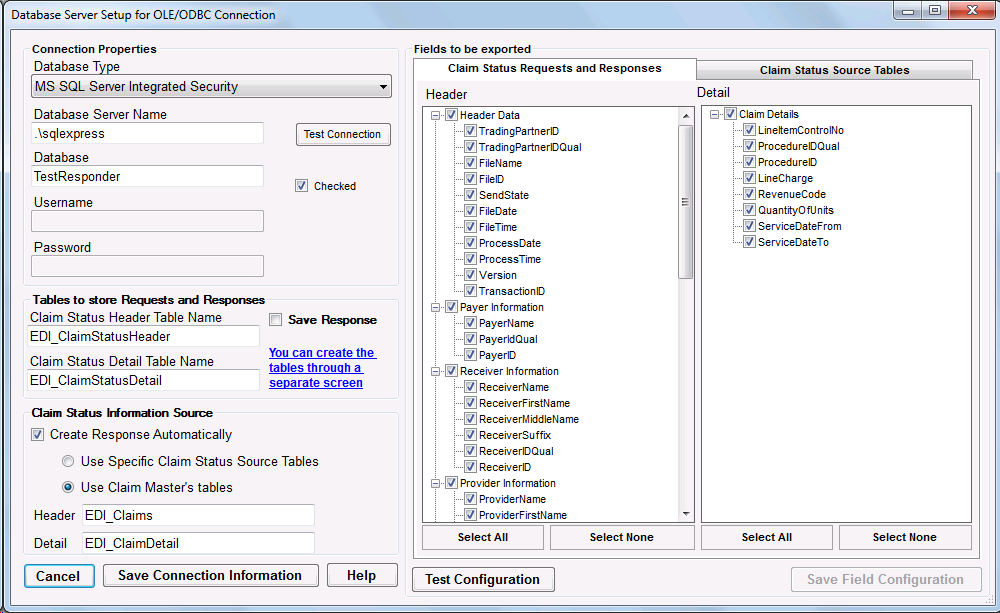
Database Setup form.
2. Check Create Response Automatically and select Use Claim Master's tables radio button. Verify the Claim Status Header and Detail fields contain the correct Claim Master Header and Detail table names. Click the Save Connection Information button.
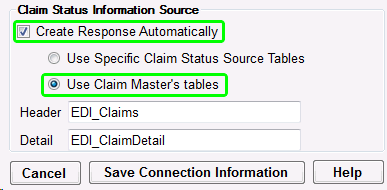
Claim Master tables selected.
3. On the right half of the configuration window, select the Claim Status Source Tables tab and check all necessary fields. The ClaimStatus Responder will read these to build a Claim Status response.
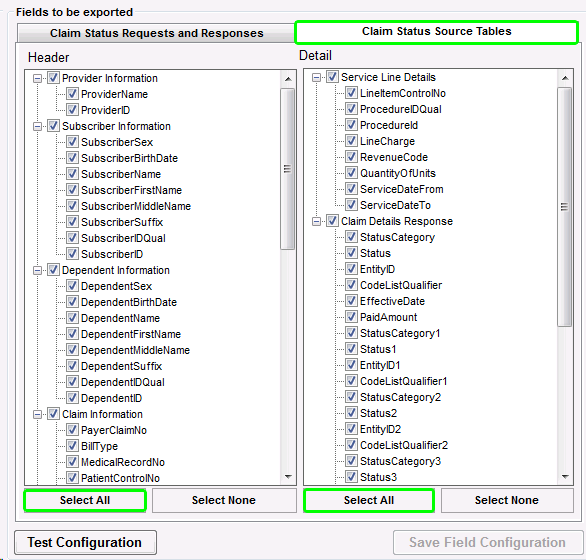
All necessary Claim Master fields checked.
4. Click the Test Configuration button. This will verify all checked fields for their existence in the Source tables.
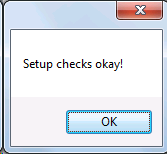
Claim Status Fields tested.
5. Click the Save Field Configuration button. The table names and fields are now saved and will be used to look up Claim Status information.