In order for the HIPAA RealTime Server to know what to do with a particular incoming 276 request, an outgoing 277 response, or a 999 acknowledgment, it is necessary to use the same database as the HIPAA Claim Status Responder.

RealTime Server Database configuration.
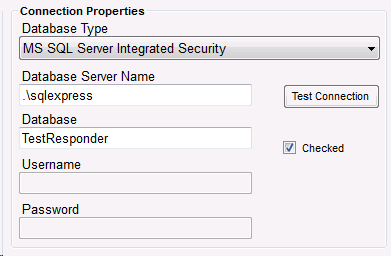
ClaimStatus Responder Database Configuration.
The server should also be using the desired Trading Partner ID to identify you or your organization as the recipient when processing incoming messages and as a sender when responding to messages.

Part of RealTime Server configuration. Emphasis on ServerID.
Finally, the full HIPAA ClaimStatus Responder path must be included in the HIPAAsuite Applications section of the RealTime Server setup screen. If the default install location was used, the HIPAA Claim Status Responder's path will be C:\Program Files\HIPAAsuite\HIPAA Claim Status Responder\HIPAAClaimStatusResponder.exe if the x64 bit version was installed. For the x32 bit version C:\Program Files (x86)\HIPAASuite\HIPAA Claim Status Responder\HIPAAClaimStatusResponder.exe will be the default directory.
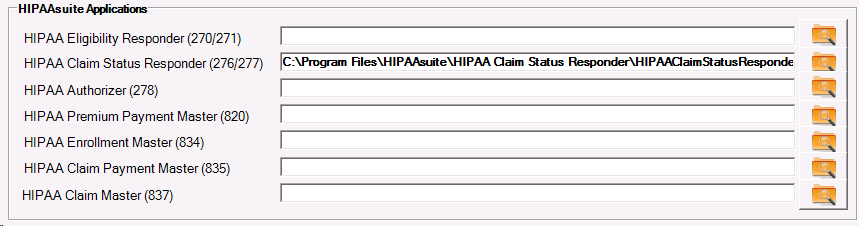
HIPAA ClaimStatus Responder install directory.
Trading Partners
To set up a Trading Partner to use your HIPAA RealTime Server, both the HIPAA Claim Status Responder and HIPAA RealTime Server must be using the same database. In the Claim Status Responder’s Trading Partner setup screen, select the desired Trading Partner or make a new one.
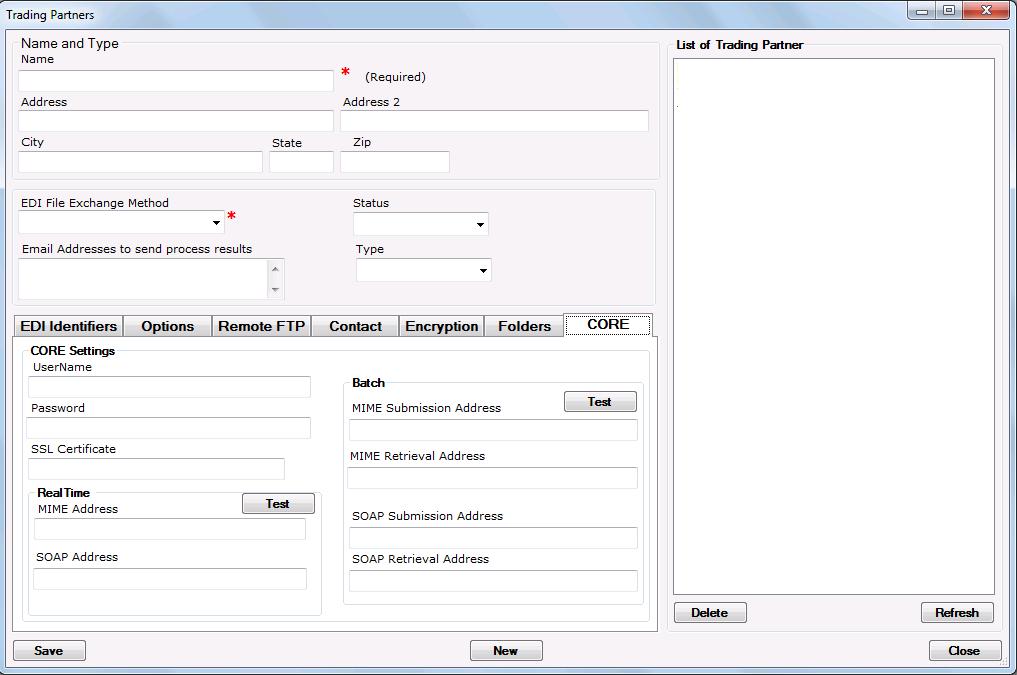
New Trading Partner.
Having a Trading Partner selected, the CORE tab can be populated with the correct values. Necessary fields to respond to a Trading Partner are a Username and Password. These are set in the ClaimStatus Responder and read by the RealTime Server and serve as the Trading Partner’s MIME/SOAP username key authentication credentials.
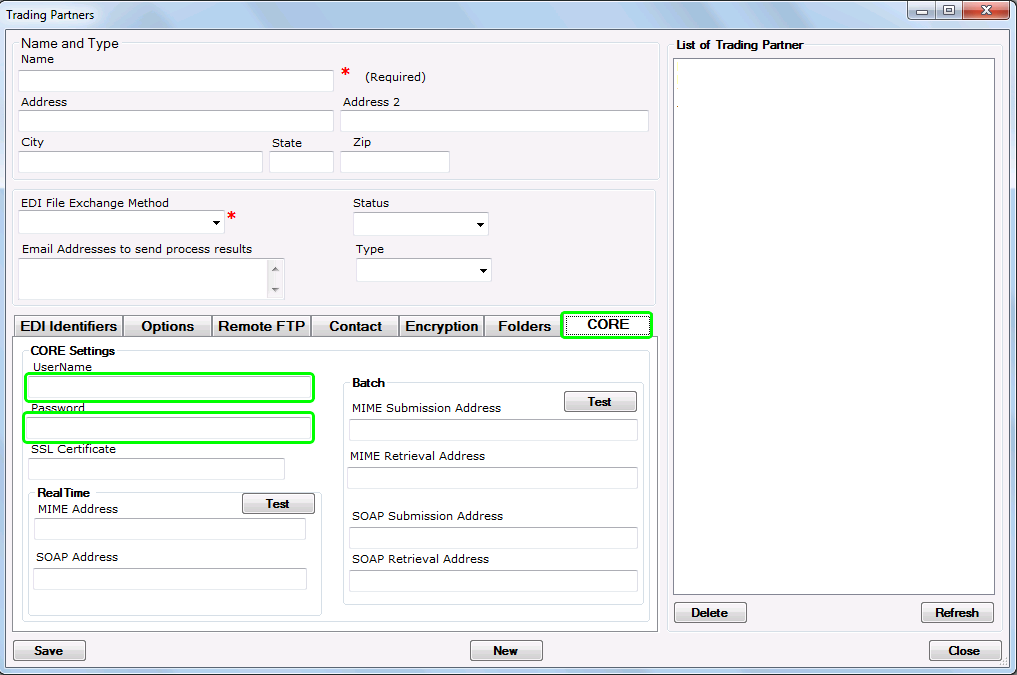
Username/Password fields are used by the RealTime Server to authenticate Trading Partners.
This is all the setup necessary on our end. Inform the Trading Partner of their username key credentials and your RealTime Server's addressing and your Trading Partner will be able to request and receive Claim Status information from your server.