Once your trial period has expired the application will stop working. If you need to continue your trial of the product, then you will need to send your request to the support team. Follow the instructions below.
1. Launch the application.
2. Click on the "Ask for trial Extension" link on the displayed window.
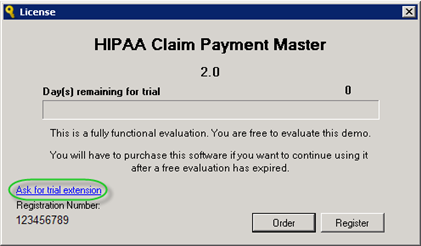
The "Ask for trial extension" link
3. Clicking on the "Ask for trial Extension" link will create an email to HIPAAsuite with the registration number so they can then create the extension key. For example, this will open Outlook with the following data inserted:
| • | To: info@HIPAAsuite.com |
| • | Subject: [HIPAA Claim Payment Master][123456789]: Request for trial extension key |
| • | Message: Volume ID: 123456789 |
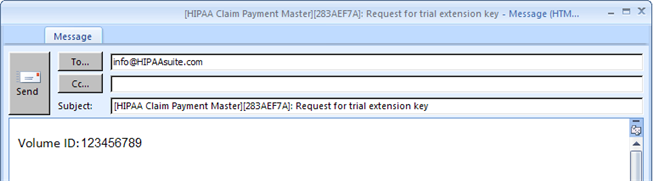
The trial extension request email
4. The response from the support team should includes an activation key.
5. Once you have the activation key, click "Register" on the program welcome window.
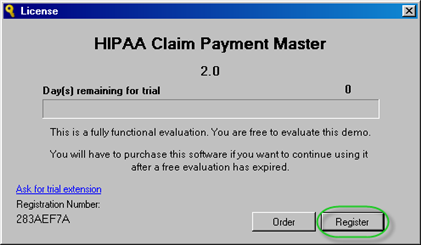
The "Register" button
6. Paste the activation key into the field on the Registration Form and then click "Register."
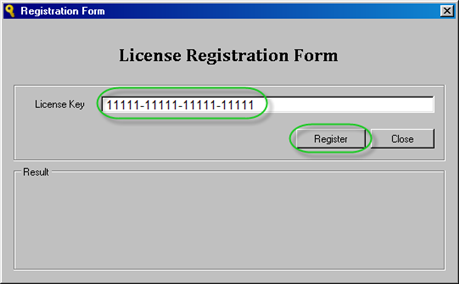
The "Registration Form" window with entered license key and highlighted "Register" button
7. The success message will appear in the "Result" border.
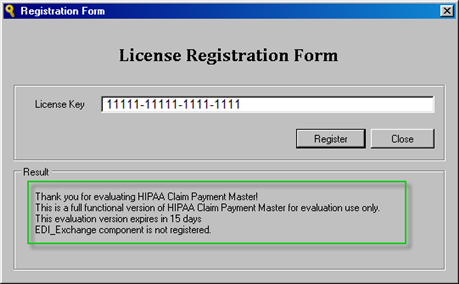
The license activation result
Click "Close."
8. Once the license key has been entered, click "Try" on the welcome window to continue using the program for another 15 days.
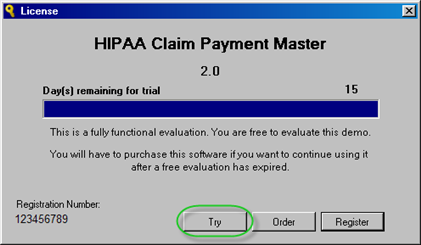
The "Try" button