To update an existing table (in the event of an update, for example), follow the instructions below.
| 1. | Start with the table creation script window of the table you want to update. In this example, we will use the Trading Partner table.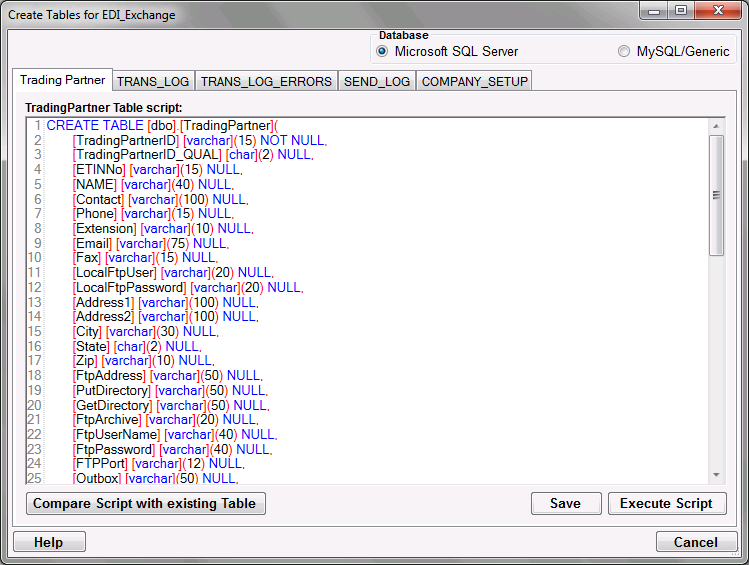 The table creation script for the Trading Partner table. |
| 2. | In the case of modifying a table to include/exclude/change a field or fields required by a program update, the script will have been updated for you and clicking the Compare Script with existing Table button will bring you to the next step. To modify the table yourself in order to conform to your particular database, first edit the script text to suit your database system, click the Save button, then the Compare Script with existing Table button, and proceed to the next step. |
Tip: Every database system has their own little syntax idiosyncrasies and the scripts might require tweaking. You can edit the table scripts in this screen and save your modified scripts. One example are 'date' and 'time' or 'money' data types that do not exist in SQL Server 2005. You can just rename those types to 'datetime' and save you script and it will run fine.
3. Having clicked Compare Script with existing Table, the script will be compared to the existing table and any additional fields will be presented. In this example, the Trading Partner table's Address fields will be added.
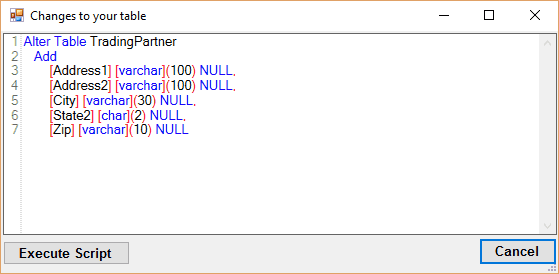
Changes to be made to Trading Partner table.
4. Click Execute Scipt. This will perform the additions/changes stated in the alter table script and a prompt will appear informing you of the change. The table has now been modified.
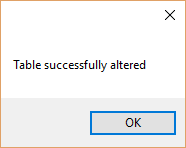
Table has been altered.