EDI relies on transaction code sets. These codes represent longer explanations and descriptions. At the onset of EDI one of the main design ideas was to make the EDI files as short as possible and to allow different languages to use the same descriptions by reducing long verbose explanations to 2-3 byte long codes. Computer storage was incredibly expensive and making any file larger than it absolutely had to was considered wasteful.
The main menu of the HIPAA Authorizer has the item 'Code Sets' Click on it and sub menus will lead you to the individual code sets that the HIPAA Authorizer uses. The code sets are stored in the file codesets.xml in the 'Configuration' subdirectory of the Program Data section of the HIPAA Authorizer, usually C:\ProgramData\HIPAAsuite\HIPAAClaimStatusResponder\Configuration\Codesets.xml
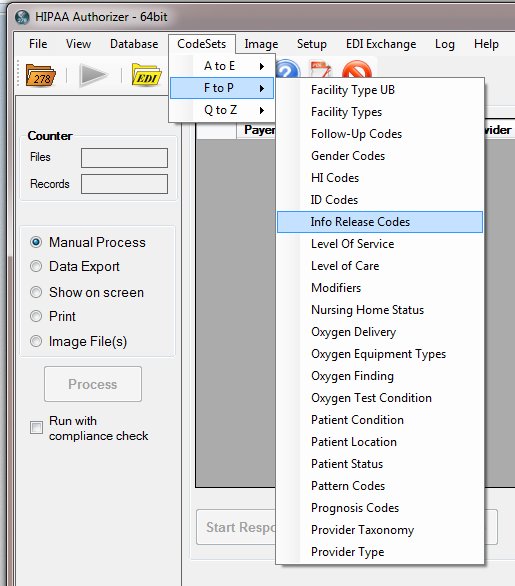
Selecting a Code Set for Display
If you click on a code set menu, the program will read all the specific codes and descriptions from the xml file CodeSets.xml. This file typically resides in C:\ProgramData\HIPAAsuite\HIPAAAuthorizer
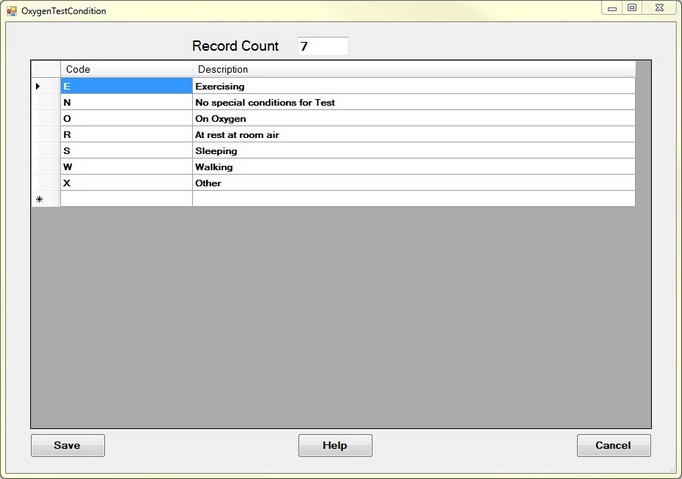
Viewing a Code Set
You can add, alter and delete codes.