The HIPAA Authorizer is HIPAAsuite's application for the X12 278 transactions. These transactions are concerned with authorizations and utilization and service review of healthcare services. Often insurance contracts require the provider to obtain an authorization for the procedure they are about to undertake. Mostly done over the phone or some voice response system, the HIPAA act of 1996 envisioned that this process can be handled by machines and the communication should be done according to the X12 specification. Authorizations are notoriously complex. Every specialty of medicine has its peculiarities and special information segments and all these have to be properly captured so that the request can be adjudicated. This makes the 278 transaction potentially very complicated.
Unique to this transaction is that it contains two separate transactions, the creation of the request and the response to a request are listed in the same transaction set. The HIPAA Authorizer handles both modes. With the HIPAA Authorizer one can manually create the most detailed electronic authorization requests and send them to the trading partner as well as study the requests in detail and create the responses and transmit them back to the originating requester.
There are several cases where the HIPAA Authorizer can be utilized.
HIPAA Authorizer for Payers
A payer can conduct all the Authorization and Services Review related e-business including that which they are obligated to support by HIPAA with the HIPAA Authorizer. Authorization requests come via 278 file. The simplest use, manual mode, would be to display the request on screen and to compose the response to the request and send it back. A case worker can in this scenario process many request in the course of the day. The HIPAA Authorizer can be connected to a database so that all requests and responses are preserved in a SQL database and can be recalled or processed later.
The database can be accessed through a separate, outside process and authorizations for many procedures could be generated by some rule engine to be developed by others. This process can then add the information needed for a valid response to the tables and the HIPAA Authorizer can then package the information into a 278 response file and send it back to the requesting provider. Automating large parts of the processes realizes the true savings of employing EDI in the business flow. All this can be automated through command line arguments.
Such automatic processing of authorization requests should include the validation of the request so that deficient or incorrect data in a request can be reported back with 'AAA' segments with the appropriate error message.
HIPAA Authorizer for UMO's
Utilization Management Organizations (UMOs) often perform third party services, either for payers or for providers. The HIPAA Authorizer is uniquely able to deal with this role. One scenario is a mental health UMO, that contracts with a large payer. The payer wants 278 EDI files with the results of those authorizations. Providers have to get authorization via this UMO and most likely call or fax in their requests. Case workers type the information into the HIPAA Authorizer and adjudicate the authorizations as well. After completing a request they can then immediately send the response on to the payer and in case the provider is EDI enabled send it to the provider as well. All data elements are stored together with the a record of who adjudicated the authorization.
Another possibility is that the payer passes on 278 request files to the UMO in order to adjudicate the requests. The UMO in turn sends back a 278 response file. The HIPAA Authorizer will read and parse the request information into the database. Requests can be adjudicated manually or an above mentioned separate process and the HIPAA Authorizer sends the completed 278 response files back
HIPAA Authorizer for Providers
The HIPAA Authorizer can be employed by providers and hospitals and nursing homes to handle all the authorization related business. Clerks can enter authorization requests fast and easy into the HIPAA Authorizer and send them either immediately or in batch mode to the payer. The payer adjudicates the request and sends back the response. HIPAA Authorizer will display the response, store it in the database and connect the request to the response. Apart from the manual mode it is of course possible to create the database records for the requests through another, separate process and use the Authorizer to create the EDI file, the communications with the payer and to populate the database with the responses, so that possibly a separate process consumes those data.
The following picture shows the start up screen of the HIPAA Authorizer
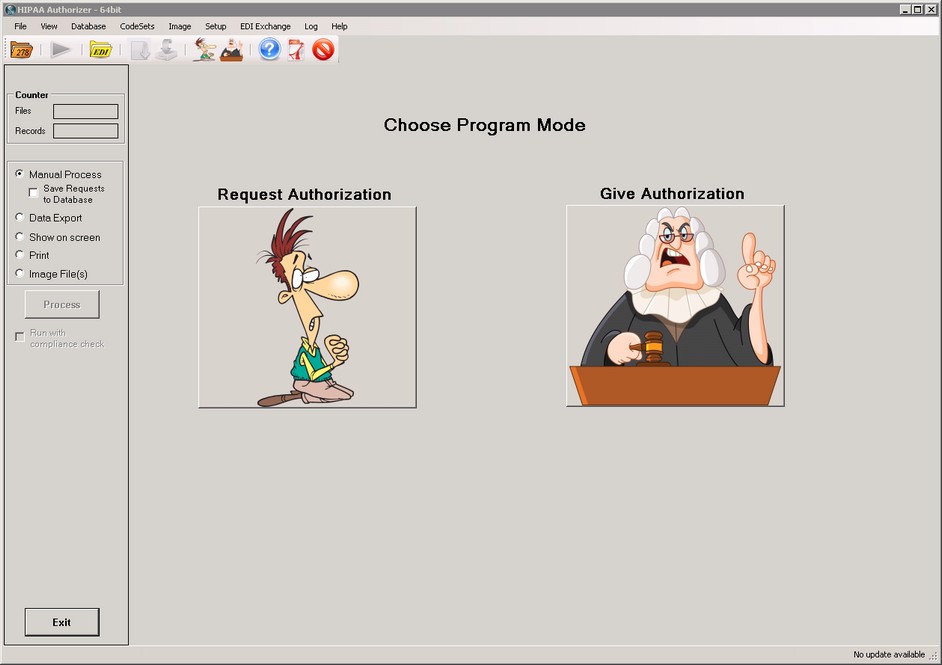
The Start-up screen of the HIPAA Authorizer. Here we have the option to choose between the two program modes: Request and Response
On top you have the main menu through which you can address every function of the program, underneath the tool bar with Icons to the most common functions
The Info bar on the left side controls the processing of files.
Most prominent are the 2 cartoon figures which humorously express the two separate modes that the HIPAA Authorizer runs under: Request mode and Response mode. Once we choose a mode it will be indicated in the task bar.

The chosen mode is indicated by the blue frame around the icon. In this case the 'Response' mode is chosen.
If we choose to create a request we will see the following screen
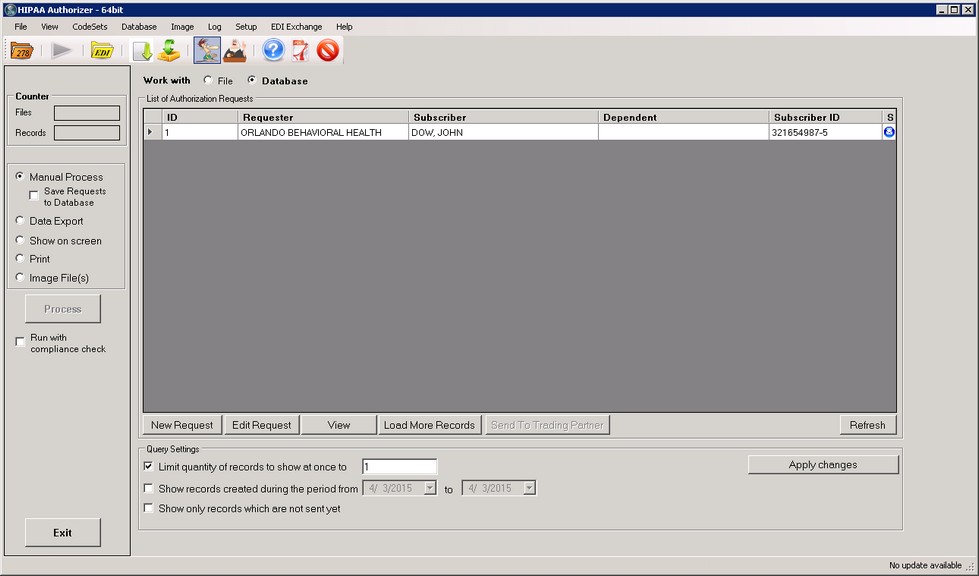
The main screen in request mode.
This is our workplace to create and manage requests. Here we see all relevant requests and their status is clearly indicated.
In Response Mode, we see this screen:
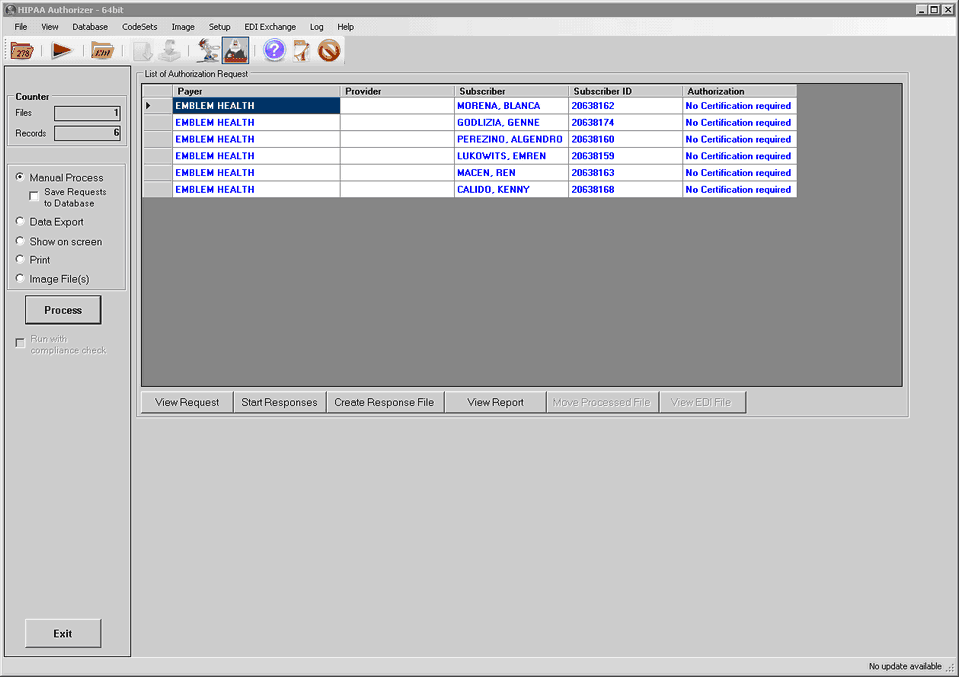
The main screen in response mode.
All the requests are loaded into the workplace grid and can be processed one by one.