The HIPAA Authorizer allows you to create the tables for your database to which it will export the request data.
After you have defined the connection Parameters and tested that the data connection works, you can create the tables by using SQL 'CREATE TABLE' scripts.
Scripts for three database types are supplied, MS SQL Server, the open source database MySQL and Oracle. If you have other databases, you might have to modify the scripts to conform to the specific database's syntax.
This screen allows you to edit, save and run the table scripts. Watch any error messages to make sure that the table creation is successful.
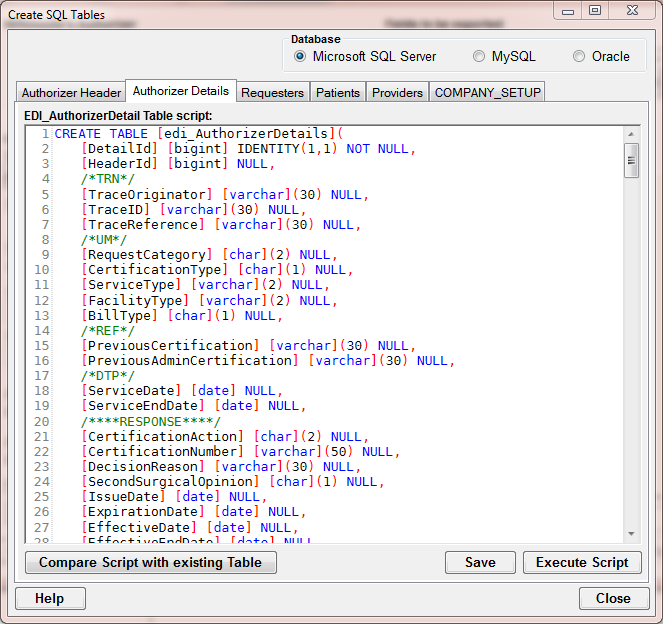
The 'Create Table' form
There are six tables that belong to the HIPAA Authorizer. Beside the Header and Detail table to store the request we have tables for the requesters, patients and providers that help speed up the manual entry of authorization requests.
Lastly the company setup table can also be created. Here we test first if you have this table already and prevent you from deleting and recreating it.
Warning: Executing the scripts will wipe out any previous tables that you created. Remove the script files once you are satisfied so nobody can destroy the tables by accident.