The HIPAA Claim Master can create 277CA's manually.
For this we go to the File menu and select "Create 277CA"
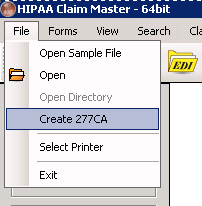
The menu to create 277CA's manually
We will see the following screen come up
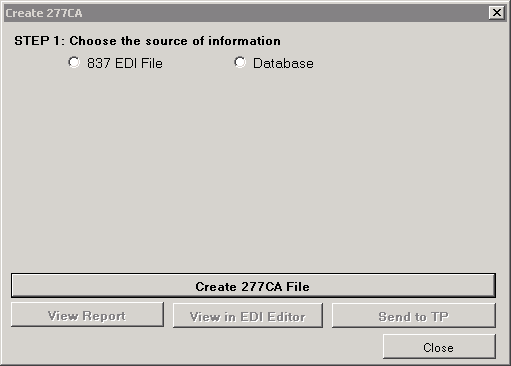
Step 1 in the screen to create 277CA's manually
Step 1 on this form is to choose the source for the 277CA creation.
| 1. | you select an 837 claim file and create a 277CA file from the claims it contains. The status that is assigned comes from default status values that are set in the Setup screen. |
| 2. | Database records in the claim tables. The status information comes from the feed-back fields in the database |