If the file passed the compliance without triggering any error, you will see a green check mark in the bottom of the HIPAA Compliance Editor
But if the compliance engine finds errors
You will see the error highlighted. If we can drill down to the element or sub element in error we will only highlight the part in error, if the syntax is violated we will highlight the whole line.
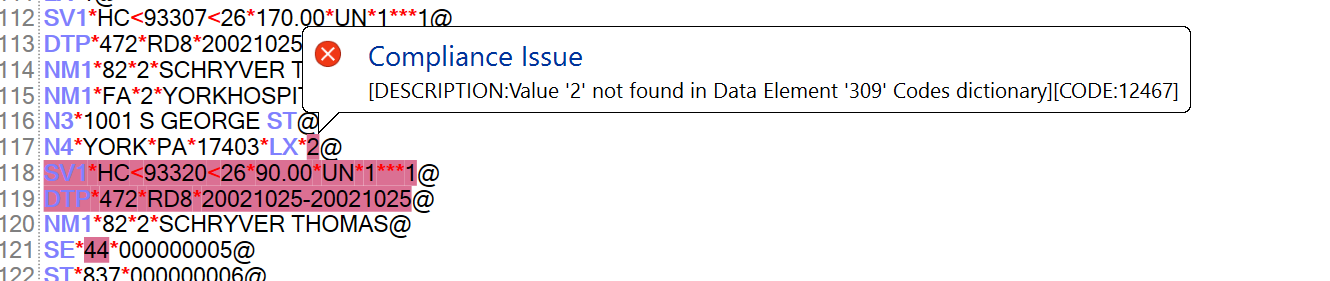
Clicking on the hight-lighted area will bring up a tool tip with the detailed error message
you will see the errors in the tree view
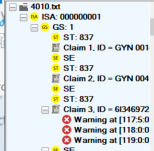
The navigation tree with error messages
when you hover the mouse over one of the error nodes of the tree view, you will see the complete error message.

The third place that you see the warning are in the data grid view at the bottom

The data grid view of the EDI errors
Here the complete error information is displayed. The first columns lists the line number, the second the error severity and 3 and 4 contain the position of the error within the segment while the last column contains the full error message.
The following severity codes are available:
| a. | Notification. Not an error or warning. Notification from the engine that some normal but rare condition has taken place. |
| b. | Warning. Some unusual condition in the operation has take place but not enough to stop the operation. |
| c. | Severe. A condition has occurred during the operation that makes it impossible for the operation to continue. |