Procedure code unbundling occurs when a payer believes that the actual services performed and reported in a single claim line can be represented by a two or more different procedure codes. This results in an increase in the units of service for the claim. Splitting of a service line with multiple units of service into multiple service lines and maintaining the same total units of service is not unbundling.
To unbundle a claim line, select and right-click a claim line and click the UnBundle option in the floating context menu that appears.
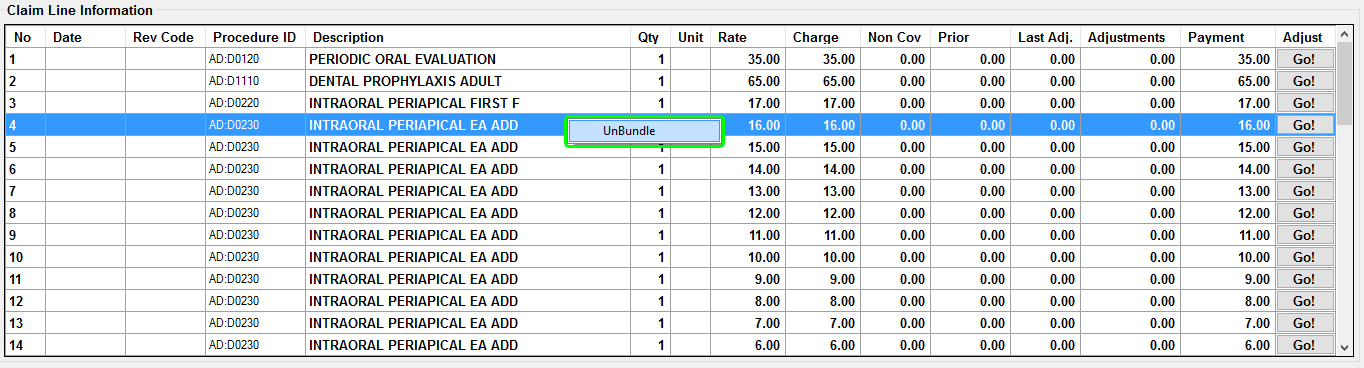
Unbundling a claim line.
Unbundling a claim line requires at least two new procedure codes. Enter a new procedure code type, procedure code, and maximum allowed amount. Modifiers and optional descriptions are optional fields. Clicking the Add button will add the new procedure into the list at the bottom of the window.
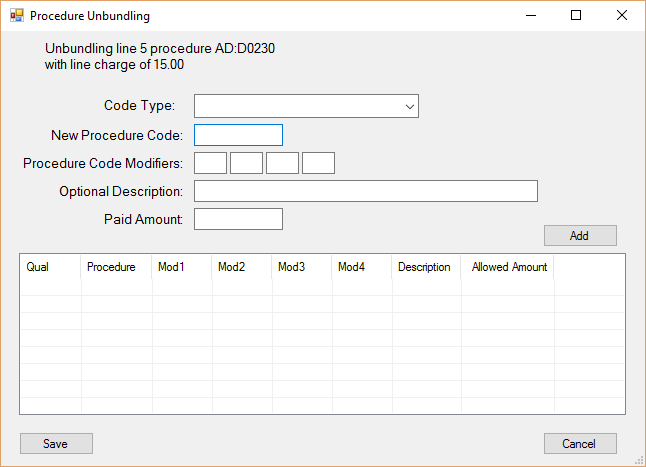
Unbundling screen.
After clicking Add, the new procedure code will be added to the procedure code list. On clicking the Save button, this list will replace the procedure being unbundled and will add to the total claim lines.
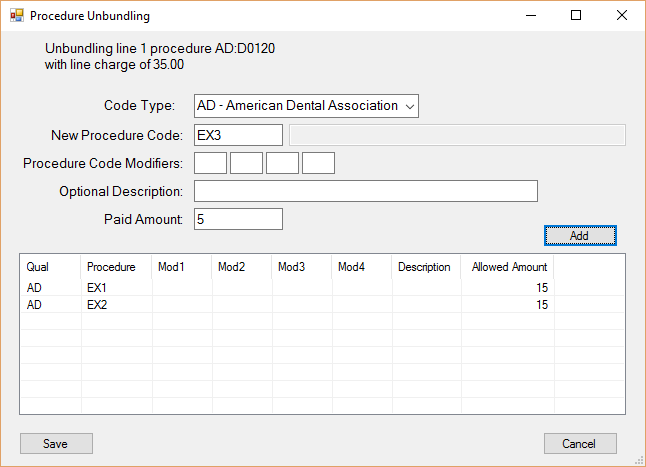
Claim lines to replace the unbundled line are shown in the table at the bottom.
The unbundled line is replaced by the lines that were entered previously. These may now be adjusted individually as with any other claim line.
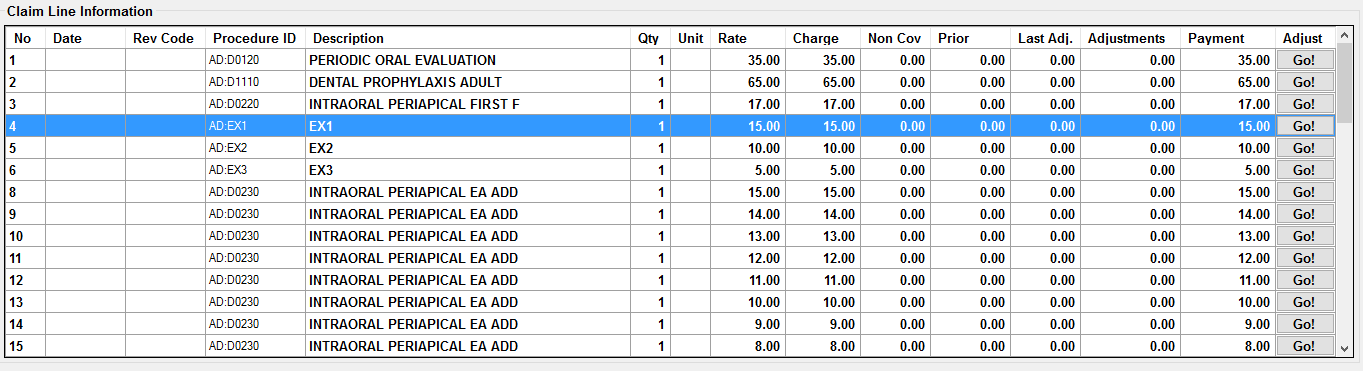
The new procedure codes have replaced the unbundled line.