|
<< Click to Display Table of Contents >> Browsing Exported Data |
  
|
|
<< Click to Display Table of Contents >> Browsing Exported Data |
|
The HIPAA Premium Payment Master can access the exported data and show it to the user. This might be helpful in tracking particular payments. You can work with the data in the eligibility tables through the "Exported Payments" screen.
Select the Data Base  Stored Payments in the main menu.
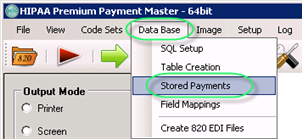
The "Payments in Database" menu
You will see the following screen where you can see all the payments and review them. Here you can compose your query using the fields in the database and conditions that you select.
When you open the screen, it shows you the first record in the database and the screen would let you scroll through all the records. You can enter your SQL query to select certain records only either as free form query if you are experienced in the database query language or through the "Define Query" tab.
In addition, you can query the database for any of the displayed fields. For example, if you want to check if all the payments from a specific file were imported, you could type the filename into the appropriate field and click the "Query" button. The results will be returned.
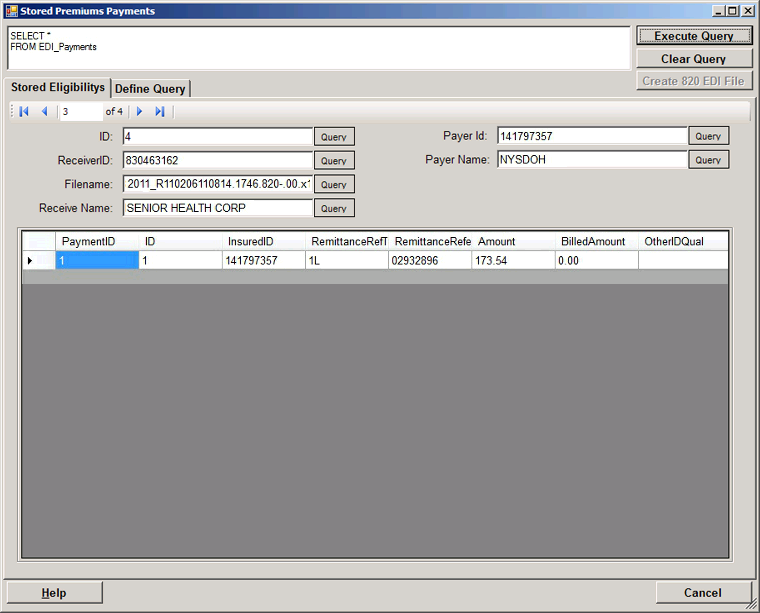
The "Stored Premium Payments" window
You can use the "Define Query" tab to create a query.
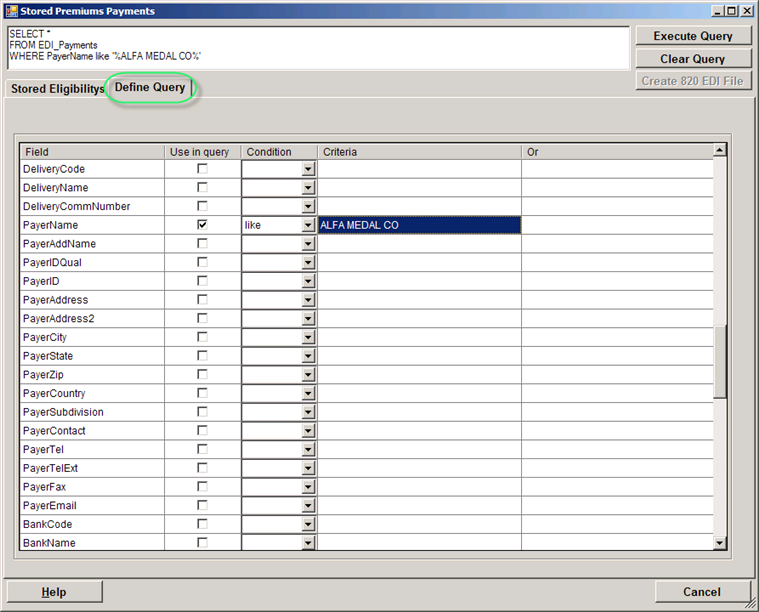
Stored Premiums Payments