|
<< Click to Display Table of Contents >> Selecting a Printer |
  
|
|
<< Click to Display Table of Contents >> Selecting a Printer |
|
If you want to print to a printer other than the computer's defined default printer, you will need to select the desired printer. See also: Printing Payment Records.
Note: The HIPAA products of the latest versions do not need anymore third party software for the creation of image files. Older versions needed the Peernet Tiff Image Printer or PDF Image Printer driver installed.
Follow the instructions below.
| 1. | Go to File  Select Printer in the main menu. Select Printer in the main menu. |
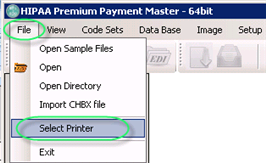
The "Select Printer" menu item
The "Printer" window will appear. Select the necessary printer.
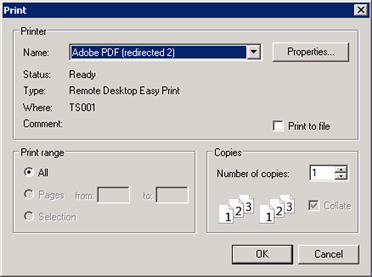
Selecting the Printer for output on paper
Though you do not have any documents in your print queue, click on "Print" to select this printer for future output.