According to the implementation guide it is acceptable to just return whether a subscriber is eligible for benefits at the time of the request or not.
If this is all you want to return to the requester, click on the 'Quick Response' button.
You will see the Response: Minimum Response screen:
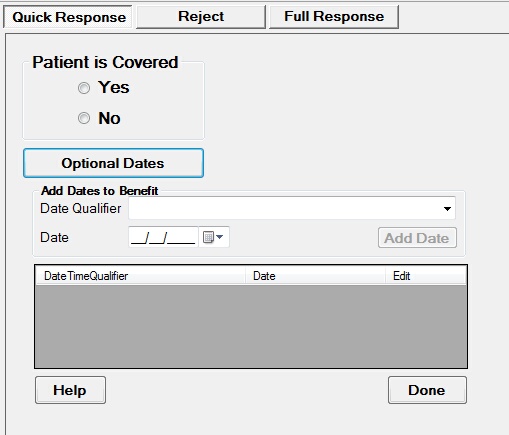
The HIPAA Minimum Response screen
Dates are optional in the Quick Response Mode
Here you can choose from a variety of different date types from the drop down menu and select the date as well.
Date types that you can choose from are:
193 Period Start
194 Period End
198 Completion
290 Coordination of Benefits
292 Benefit
295 Primary Care Provider
304 Latest Visit or Consultation
307 Eligibility
318 Added
348 Benefit Begin
349 Benefit End
356 Eligibility Begin
357 Eligibility End
435 Admission
472 Service
636 Date of Last Update
Once you are done, click the 'Done' button and return to the detailed request screen.
You can now save your eligibility information.