Under the main menu item 'Setup' we find the item 'Application Setup'. When we click this, the following screen comes up:
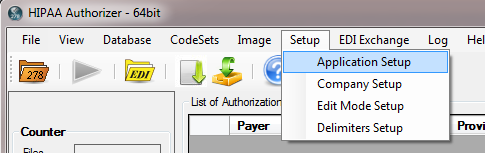
The Application Setup menu
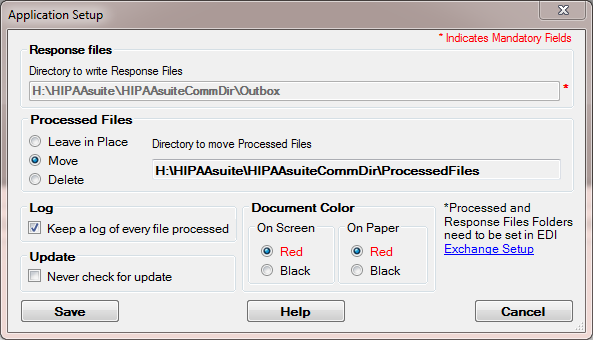
The Application Setup screen
Here we can setup up
| • | the directory where response files are written to. (With EDI Exchange enabled, this directory is filled in automatically) |
| • | the handling of processed files and the directory where they are moved to |
| • | Whether manual operations are logged (command line processing is always logged) |
| • | Whether the program checks for updates on start-up |
| • | and, finally, the color of back ground elements in the display form |