The Requester Info screen contains the information of loop 2010B. This loop consists of an Name (or NM1 segment. The first two lines in the form), the address information (N3 and N4 segments), Contact information (PER segment), provider specialty (PRV segment) and additional provider identifiers (REF segments).
Once filled out, the Requester information can be saved to the database for future reuse.
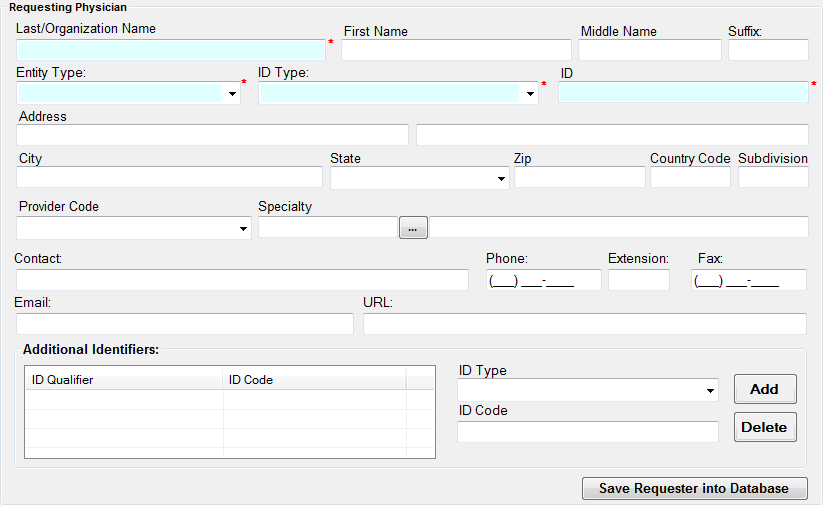
The Requester screen
The requester is typically a provider who want to establish insurance coverage for a certain procedure. Alternatively there are third party organizations that specialize in authorizations and create them for others. Usually the requester is the person getting the response back.
The above screen has fields for name and address, provider type and specialty, identifiers and contact information. The fields are pretty much self explanatory. Next to the specialty field is a button that when clicked will bring up a list with all provider taxonomy codes and their descriptions.
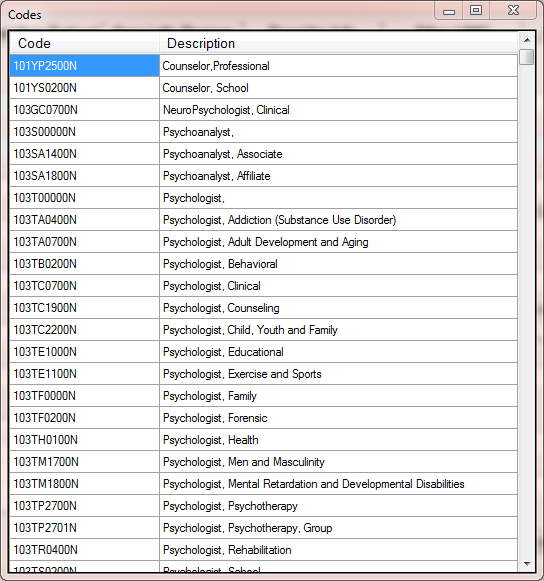
The specialty or taxonomy screen
The requester information can be stored in the database and recalled for the next transaction. In the bottom right corner of the screen is the button "Save Requester to Database". This will save the entry to the table 'Authrequester'. The next time one types into the last name field or the ID field, previously stored records appear as a drop down choice and will fill all the fields that have been saved.