The 278 transaction provides to list other UMO's who might have adjudicated the request before. This is quite usual when a second opinion is needed or if a declined authorization is resubmitted. In such a case the adjudication infromation of the other UMO(s) have to be transmitted.
When we click on the "Other UMO" tab we will see this screen
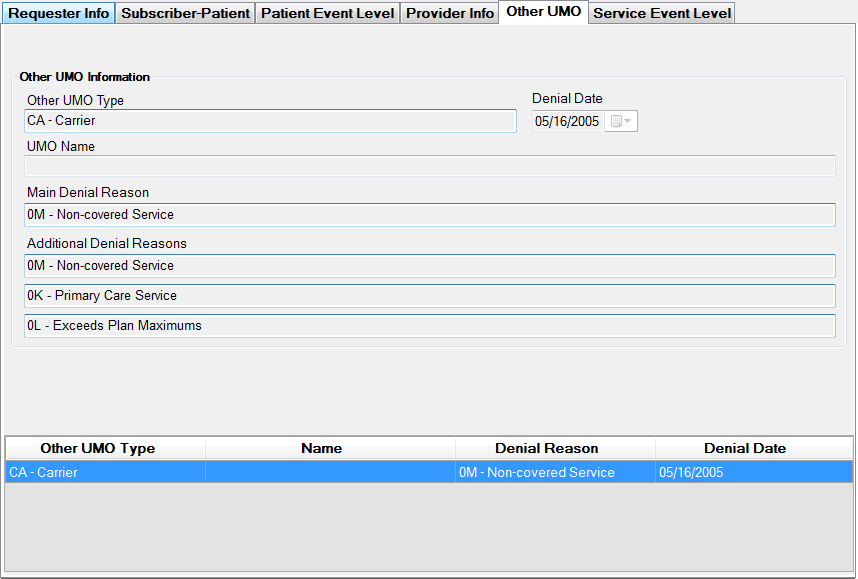
The "Other UMO" screen
Again this is a FYI screen only in response mode. There is nothing that can be edited.
The information consists of the name of the UMO and up to 4 denial reasons and a denial date. Up to three other UMO's can be listed. Note that you have to click on the "Add Other UMO Info" button to add the information to the request. Only when you see the UMO in the top grid will it be in the transaction. Loop 2010EC contains this information. There can be up to three UMOs and the navigation is the bottom of the screen
Navigating between several UMO's