A 278 request can have many lines of service items which can be individually authorized. When we click on the 'Service Event Level' tab we see this screen:
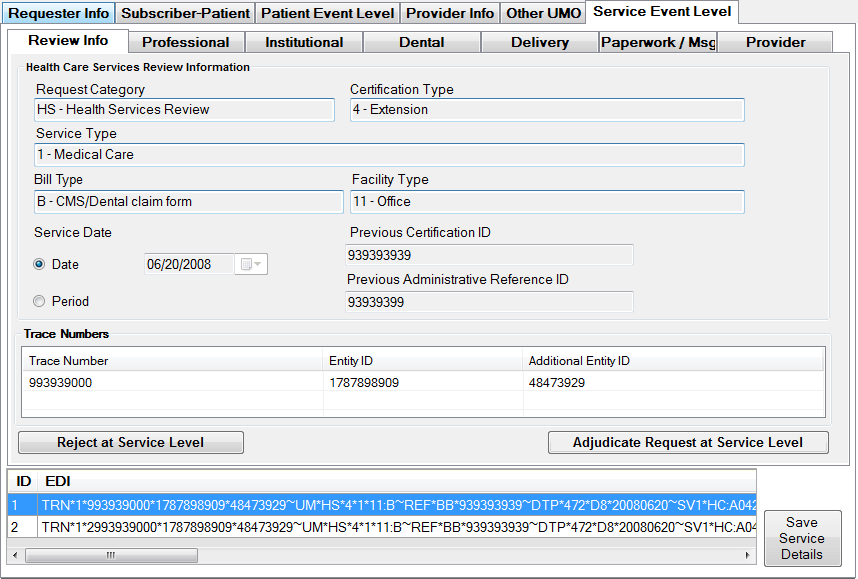
The Service Event Level Main screen
Here in this screen we see on the bottom a grid that lists the content of each line in EDI format. Below is the navigation tool. Especially with long hospital service authorizations there can be many lines. When we navigate between the individual service lines, all the screen in the service event level will reload.
We can reject a service line. If we click the "Reject at Service Level" the reject screen comes up with the following reasons
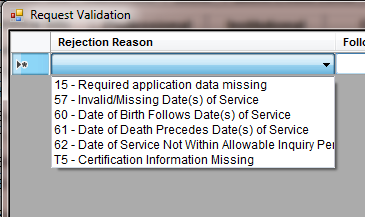
The list of reject reasons on the service line level