The picture below shows the subscriber-patient information:
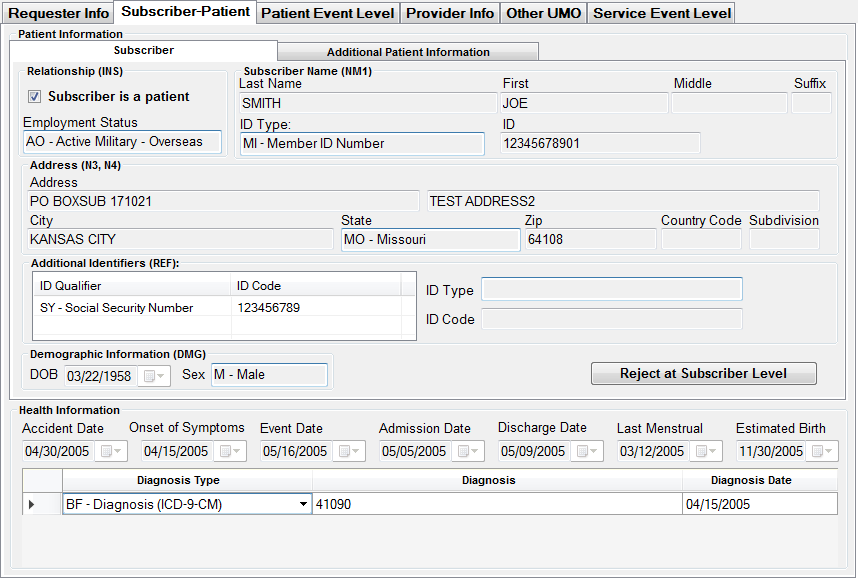
Subscriber and Patient tab
This tab displays information on the patient who might be the subscriber or a dependent. If patient and subscriber are the same person you will only see one tab, if there is a separate patient, you will see a 'Patient' tab.
Underneath the demographic information are request specific dates and the diagnosis specific information. These fields are not editable. It is information that came in the request.
The tab 'Additional Patient Information' tab contains fields that can be edited and looks like this
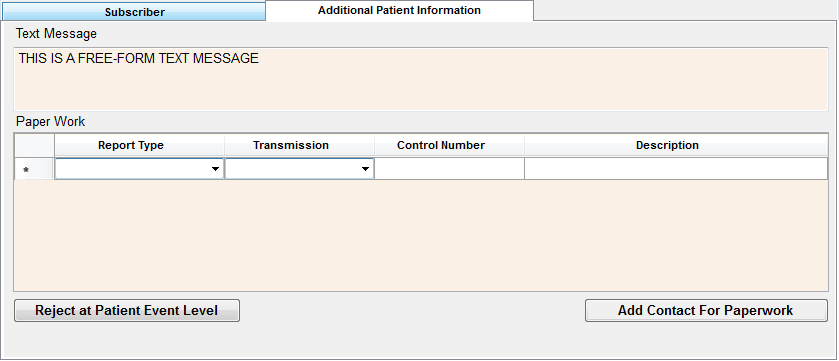
The tab for additional information
A free form text message that came with the request will be displayed here or the adjudicator can add text here for the response.
In the same way is it possible to require additional paperwork. The drop-down menu boxes will allow you to select a report type and transmission method according to the specification in the 278 transaction set. You can add several lines of report requests here.
You can even specify to which address the documentation will be sent.
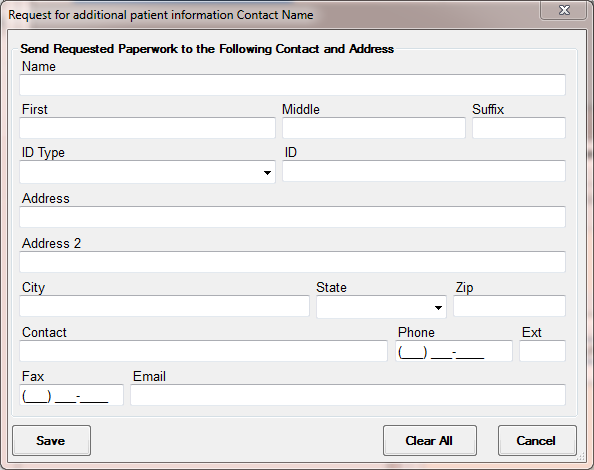
Adding contact information to a request for Paperwork
We can reject a request on the subscriber and/or Patient level. When we click the button "Reject at Subscriber Level" the reject screen comes up with the following reject reasons
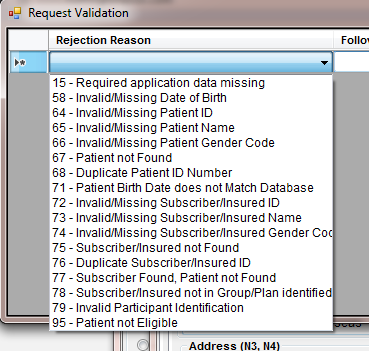
Reject reasons on the subscriber/patient level