Being a mostly formless windows application, the HIPAAsuite RealTime server doesn't present the user much in the way of a Graphical User Interface. Right-clicking the application's icon will present you with a menu from which you can select various options.
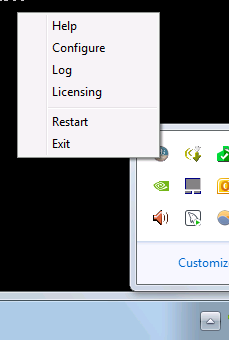
Icon right-click menu.
| • | Help - Brings up this helpfile. |
| • | Configure - Presents you with the configuration window. More details on this here. |
| • | Log - Presents you with the program log. Log files are stored in C:\ProgramData\HIPAAsuite\HIPAA RealTimeServer. This is a quick way of accessing them. |
| • | Licensing - Presents all licensing information, whether the registered license is a trial or full license, and if it is a trial license how many days left before expiration. |
| • | Restart - Restarts the RealTime Server. |
| • | Exit - Exits the RealTime Server and closes any open hosts and the debug console window. |


