|
<< Click to Display Table of Contents >> Software Registration |
  
|
|
<< Click to Display Table of Contents >> Software Registration |
|
The HIPAA RealTime Server can be tested free of charge. Starting the server during the trial period will present the following trial screen before starting up. This screen shows how many days remain in the free trial:
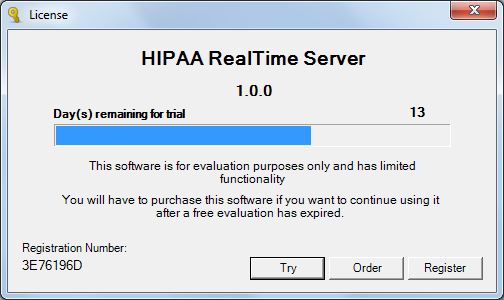
The Trial Screen
During the testing period, the Server will not open an SSL host. All hosted addresses will be unsecured http. During this time, the log will make note of this every time the server is started. A typical server startup log entry with a trial license will read as follows:
The service is ready in debug mode.
16:19:48.7403136 Starting Server...
Loading Config...
Config Loaded.
Trial license. Secure host cannot be opened. Insecure test host will be opened.
Test host open.
The service is ready in debug mode.
Whether or not the current license is a trial license will be displayed when starting up the server or by checking the "Features and Licenses" window by clicking the "Licensing" option in the right-click menu.
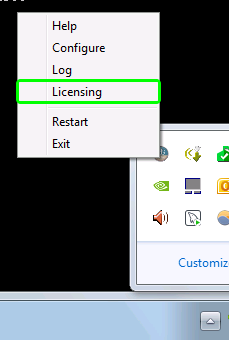
Right-click menu. "Licensing" option is highlighted.
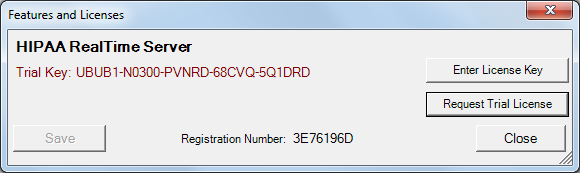
Licensed window displaying an Expired Trial Key.
Should your trial time expire and you wish to continue your testing of the software, please send an email to info@HIPAAsuite.com with the Registration number and we will give you a trial extension. Clicking the "Request Trial Button" from the "Features and Licenses" window will open your default mailing application.
The registration number is shown on the lower left hand corner of the license trial window.
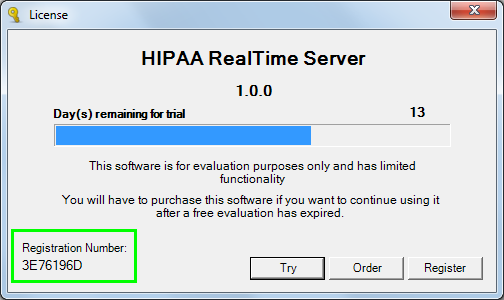
The Registration number
This number is needed for the registration as well as trial extension. It is unique to your computer and hardware. You can copy the registration number to the clip board, just hover with the mouse over it, so that you can easily paste it into an email. This avoids human error. (There are no letter 'O's, the letter in the number, only zeros!)
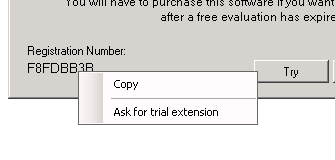
Copy the registration number to the Windows clip board by hovering over the it with the mouse
Once you have received the license key from us you click on the 'Register' button and the license registration from comes.
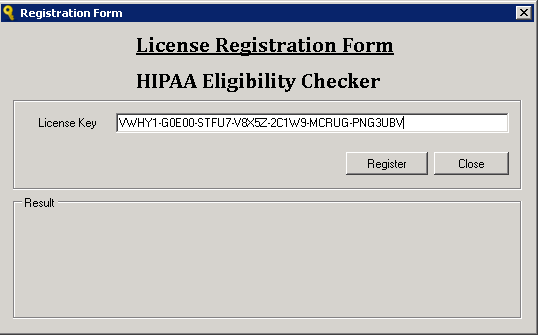
Entering the registration information
Enter the License Key as supplied in our email. The best is to copy and paste the information from our email.
Once the product is registered with a permanent unlock code, the SSL-secured https host will be available for use and all future upgrades will find this key and install without further action necessary.