Stored receivers can be viewed and edited in this screen. To open the Stored Receivers editor, click Manual Entry and then Stored Receivers:
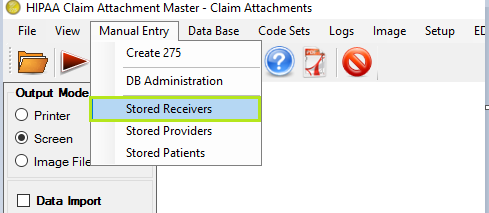
Stored Receivers menu option
A new window containing all receivers stored in the StoredReceiver table will be opened. To create the StoredReceiver table, Creating the Receiver, Source and Patient table
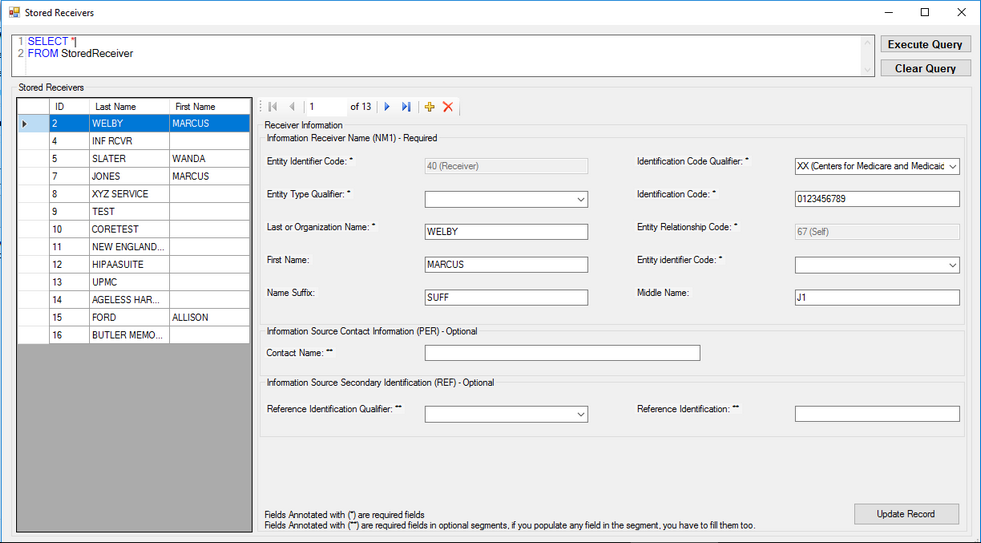
Stored Receiver editing screen
The table contains all receivers present in the StoredReceiver table. Selecting one will fill out the Receiver Information form beneath it. Editing the receiver fields and clicking update record will modify the contents of the selected receiver's row to match your changes.
To create a new receiver, click the Add new icon button.
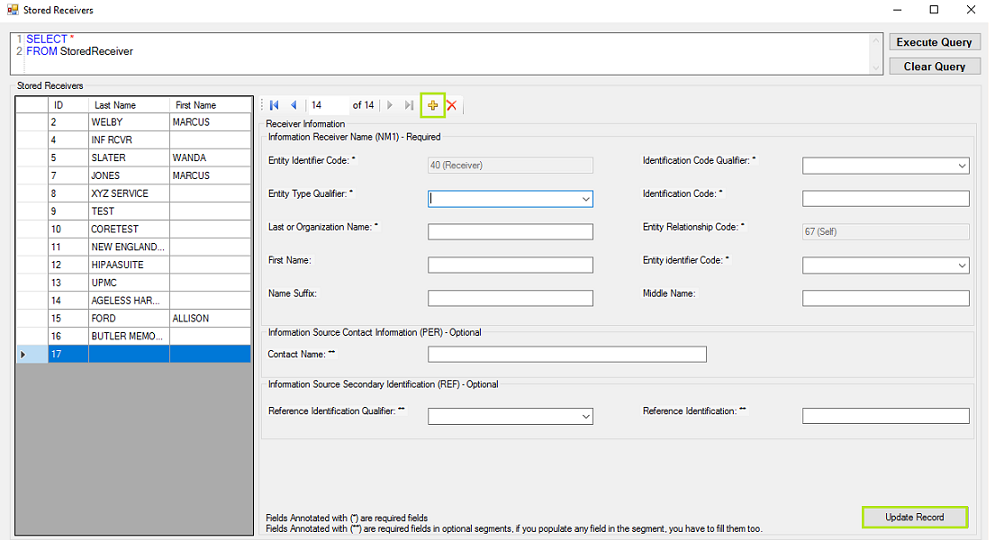
" New Receiver Record Screen"
It do add the new blank item left side and empty the right side to fill the information.Click on update record button save the record.
To delete an existing receiver, select the receiver in the Stored Receiver table and click the Delete icon button.Application first ask the confirmation and clicking on yes delete the record.
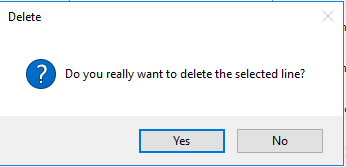
"Delete confirmation popup "
Click on yes, delete the record from Stored Receiver table and application replace the screen and remove that record from left side list.