|
<< Click to Display Table of Contents >> Familiarizing Yourself With the Interface |
  
|
|
<< Click to Display Table of Contents >> Familiarizing Yourself With the Interface |
|

MenuBar
The menu bar at the top shows the following menu items:
| • | File — Contains all file-related activities such as opening a file and exiting the program. |
| • | View — Gives you access to the built-in EDI Editor, and it lets you show or hide the info bar. |
| • | Database — Gives you access to database setup and the claim database. See Exporting Data for details. |
| • | Logs — Lets you see the logs of file processing. See Accessing Daily File Log. |
| • | Help — Shows the documentation and context sensitive help topics. |

The taskbar has the most important functions accessible through quick launch icons.
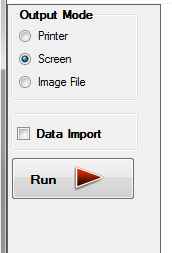
The info bar is located in the left part of the interface. This panel displays the file information and has the "Run" button to start processing files. If you do not see the info bar, the "Info Bar" menu item or the last button located on the task bar will toggle the info bar visibility. When you work with files, the info bar is indispensable, but when working with a database, it is optional.