The default adjudication behavior can be adjusted in the default settings options. A line that has not been manually adjudicated will be assigned the the default Claim Status and/or Adjustment Reason or paid in full. To open the default claim adjustment settings screen, click the Default Settings option under the Adjudication menu.
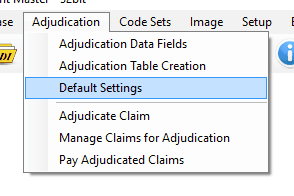
Adjudication menu. Default settings option is highlighted.
The default adjustment settings will be applied to any unadjusted claim line. This allows for quick adjustments. The default setup will mark any claim line that has not been manually adjudicated for full payment. To change this behavior, check User Default Values to Suspend Payment and select adjustment and claim status codes to adjust any claim line that was not manually adjudicated.
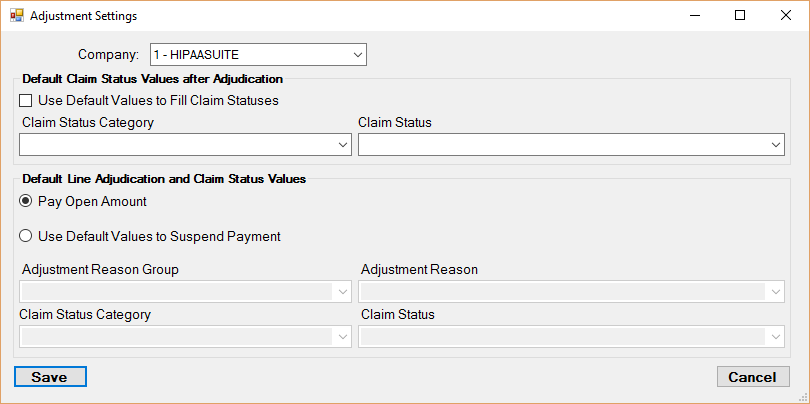
Defaults screen.
Every company used has a different set of default adjudication values. To swap between stored companies, use the company dropdown box.
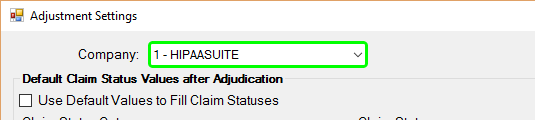
Detail of the defaults screen. Company selection drop down box is highlighted.
The combo boxes may not have the option you need. If so, type in the claim status or adjustment code and the box will fill in the rest.
Example: Entering "P1" into the Claim Status Category field...
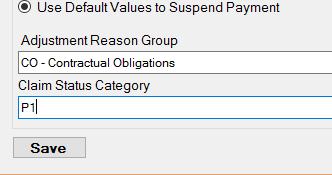
..will automatically fill in the corresponding definition for that code.
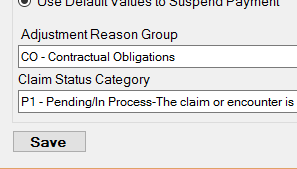
Click the Save button to save any changes made to the adjudication defaults. Only the currently selected company is saved.