|
<< Click to Display Table of Contents >> Exporting the Data |
  
|
|
<< Click to Display Table of Contents >> Exporting the Data |
|
The HIPAA Premium Payment Master can export the data contained in a 820 EDI to any ODBC-aware database such as Microsoft SQL Server, Oracle, AS400, etc. The information is written to a database for further processing.
When you select the "Data Import" check-box, the options for Printer and Screen and Image become de-selected. But you can select "Printer" and "Image" in addition to data export again. Only screen and data import are prohibited because a user could at any time interrupt the complete processing of the file.
The data is written to the database once the "Run" button has been clicked and only if the "Data Import" checkbox is activated.
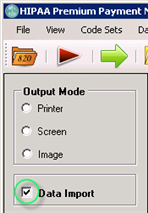
The "Data Import" check-box
The "Processing Results" window will display notification about data export.
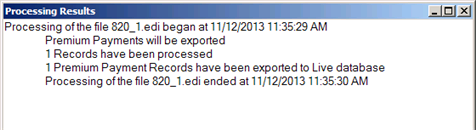
The "Processing Results" window
The sequence of actions to setup the data export is the following: