|
<< Click to Display Table of Contents >> Processing with the EDI Exchange Module |
  
|
|
<< Click to Display Table of Contents >> Processing with the EDI Exchange Module |
|
The only argument you need in this case is "Auto". The directory to look for new files and the processing options are defined in the setup screens for EDI Exchange. No further arguments are needed.
To setup autoprocess options, go to EDI Exchange -> Autoprocess Setup
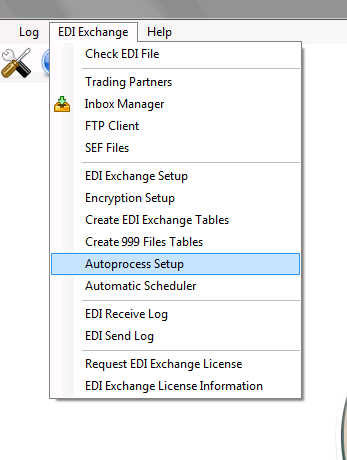
Autoprocess Setup option in EDI Exchange menu
Any options selected for autoprocessing will carry over to the command line.
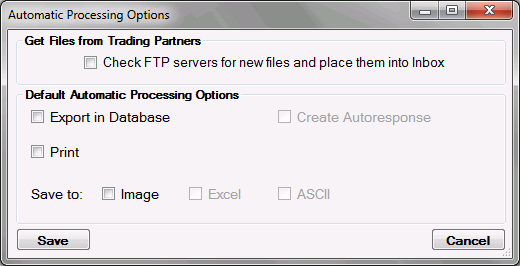
EDI Exchange Automatic Processing options