Once the request is saved to the database or loaded from an EDI file we can view the request form by selecting it and clicking the "View" button or the "View Request" option in the right-click menu.
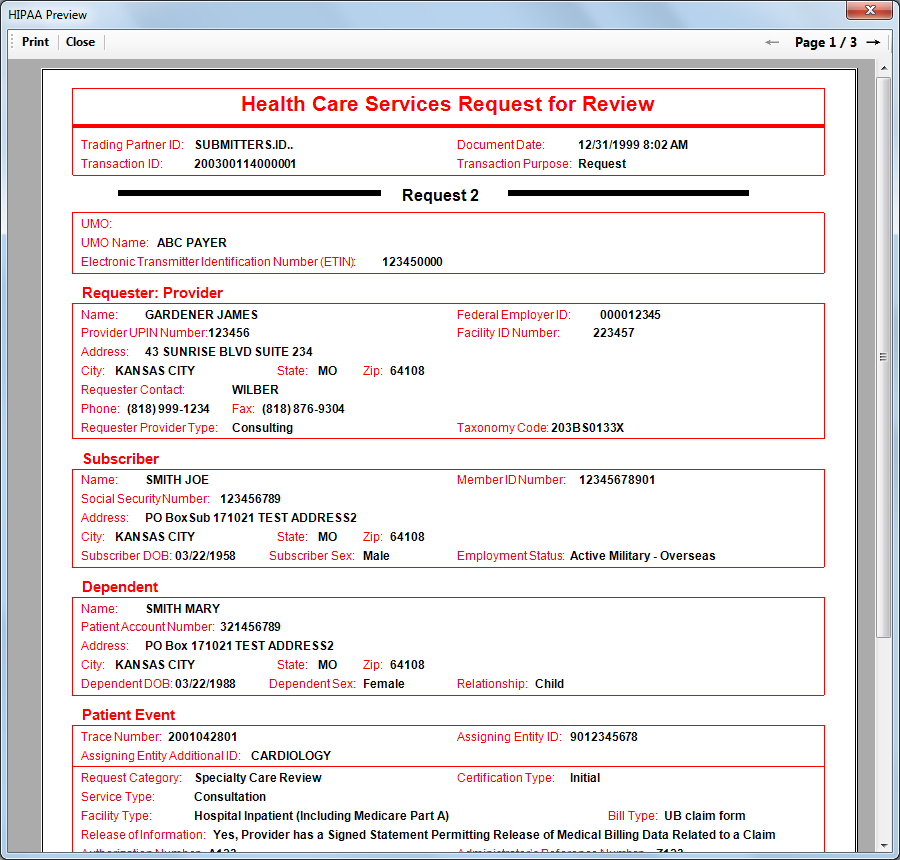
The form to view a 278 Authorization request
All cryptic codes are translated and the information is grouped by the segments in which it is contained. This form is printable and can even saved as TIFF or PDF file.