The HIPAA Claim Payment Master displays the EDI document in a page that makes it easy to read the 835 transactions. You can create image files containing the data that you see in Screen mode. The following formats are supported:
| • | TIFF |
| • |
You can create image files manually or automatically using the command line arguments and Windows Scheduler. Read more in:
Before creating image files, make sure all settings are defined correctly. Read more in:
Follow the instructions below to create an image file from EDI file.
Notice: The image file will be created based on the pre-defined settings. Read more in Doing Image Setup, Adjusting Image Options, Configuring Image Index.
| 1. | Open an EDI file or directory containing the EDI files in the HIPAA Claim Payment Master. Read more in Processing a Payment Advice File, Opening a Folder Containing EDI Files. The "Open document" button 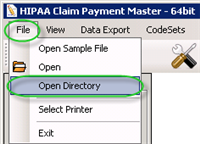 The "Open Directory" menu |
| 2. | Select the "Image File" option in the "Output Mode" block.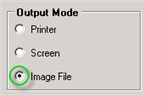 The "Image File" option |
| 3. | Click on the "Run" button.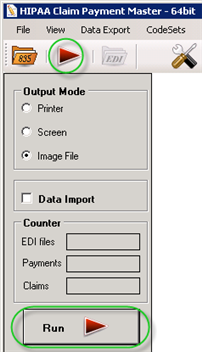 The "Run" buttons |
| 4. | The "Processing Results" window displays the report. You can find the resulting TIFF or PDF files in the specified folder.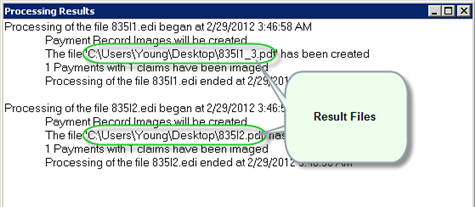 The "Processing Results" window |